
What are the requirements for account registration and pass application?
For Account Registration:
1. Government-issued photo ID:
- NRIC: For Singapore Citizens and Singapore Permanent Residents.
- FIN: For foreigners holding a valid Singapore work pass, such as a Work Permit, S Pass or Employment Pass.
- Passport: For foreigners who are not working in Singapore.
Note: Pass applications for foreign nationals without a Singapore work pass will be approved on a case-to-case basis and may require submission of an e-Notification to Perform Work Pass Exempt Activities.
2. Phone Number and Email Address:
A unique handphone number and email address are required for account registration. Only phone numbers with supported country codes listed in the registration drop-down menu can be used. Duplicate handphone numbers or email addresses are not allowed.
For Pass Application:
1. Registered Employer Name:
The employer name must be registered in JP and available for selection from the Employer Name drop-down list when completing the JP Pass application.
If the employer is not available in the drop-down list, please contact the Pass Office at [email protected] or JP Customer Service via Enquiries | Jurong Port Singapore to create a Company Profile before applying.
Applicants are advised to contact the relevant department in advance to allow sufficient time for the Company Profile to be created before submitting the JP Pass application.
2. Supporting Documents:
- Delivery Order / Invoice, Customs Permit and/or ESN if “One-Time Delivery” is selected as the purpose of entry.
- Relevant licences or training certifications required for the selected occupation codes.
- A sponsor letter is required for over-the-counter applications submitted by foreign applicants whose country code is not available in the drop-down menu during account registration.
The sponsor letter must be issued by a JP Credit Account Holder or, where the application is sponsored by Jurong Port or JPTT, by a JP/JPTT staff of Deputy Manager grade (or equivalent) and above.
Note: Physical amendments to the original supporting documents will not be accepted and the application will be rejected.
How do I register for a JP Pass account?
To create an account on the JP Pass mobile app or web portal, user must provide a unique handphone number and email address, as duplicate numbers or email addresses are not allowed.
Registration Process:
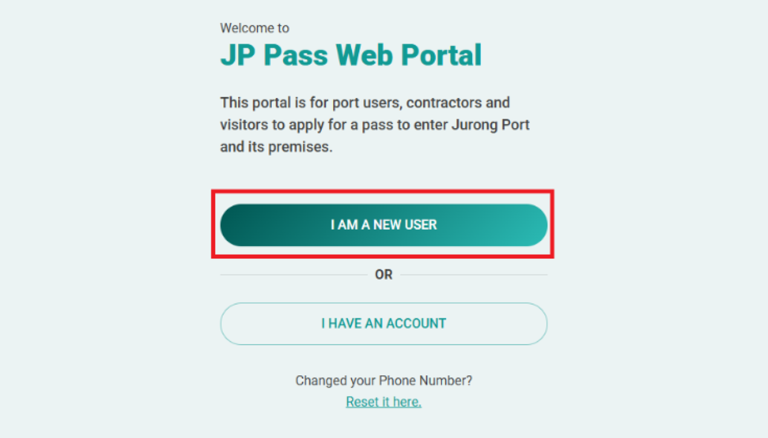
1. Use the JP Pass mobile app or web portal to start the registration process.
2. Click “I AM A NEW USER” on the login page.
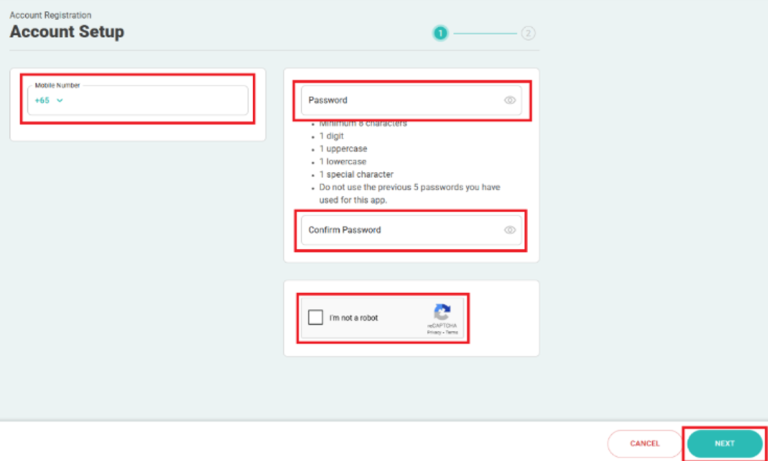
3. Enter your mobile number, create a password, click on the reCAPTCHA verification, and click “NEXT“.
 4. After clicking “NEXT,” a confirmation message will appear to indicate that your JP Pass account has been successfully created. You will then be directed to provide your basic information, either by retrieving it through Singpass or entering it manually.
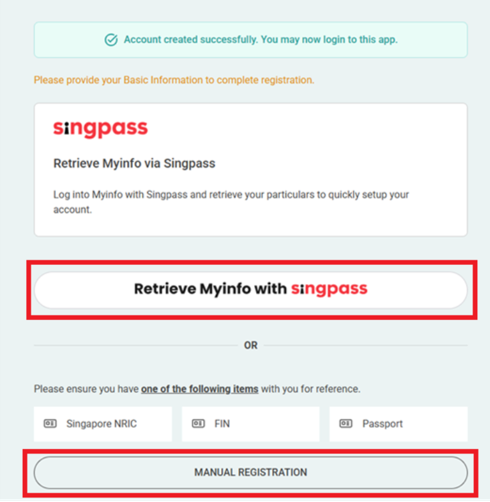
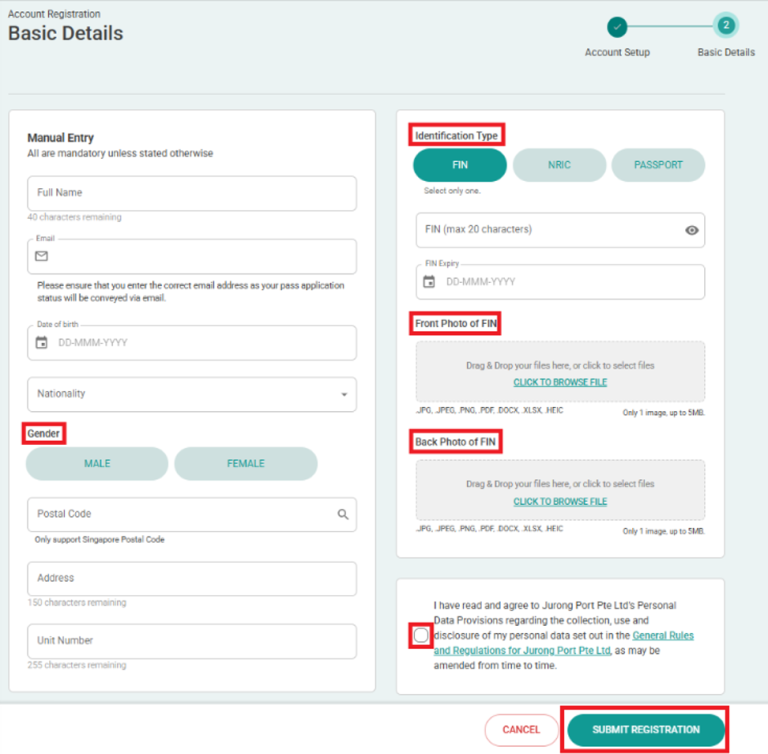
If you select “MANUAL REGISTRATION,” you’ll be redirected to the Account Registration – Basic Details page. Enter the required information, click the link to review the General Rules and Regulations, check the box to confirm your agreement, and then click “Submit Registration.”
What should I do if my country code is not available in the drop-down menu during JP Pass registration?
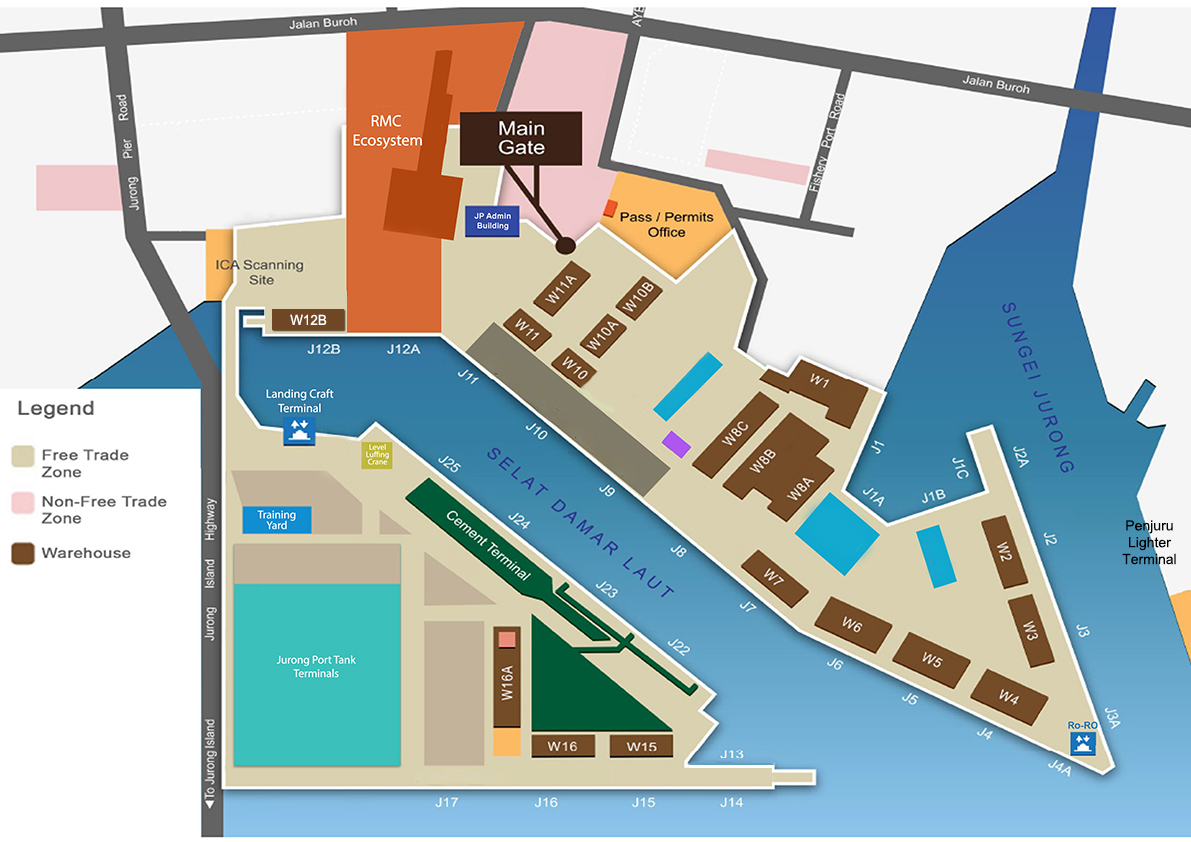
If your country code is not available in the drop-down menu, you may apply for a JP Pass in person at the Pass Office counter. You will need to present a valid sponsor letter, which should be emailed to [email protected] before your visit.
Applicants whose country code is available in the drop-down menu should submit their applications through the JP Pass mobile app or web portal.
What is the process for JP Pass application?
The JP Pass is available to all users sponsored by a JP credit account holder.
Application Process:
1. Use the JP Pass mobile app or web portal at https://jppass.jp.com.sg/ to apply for a pass.
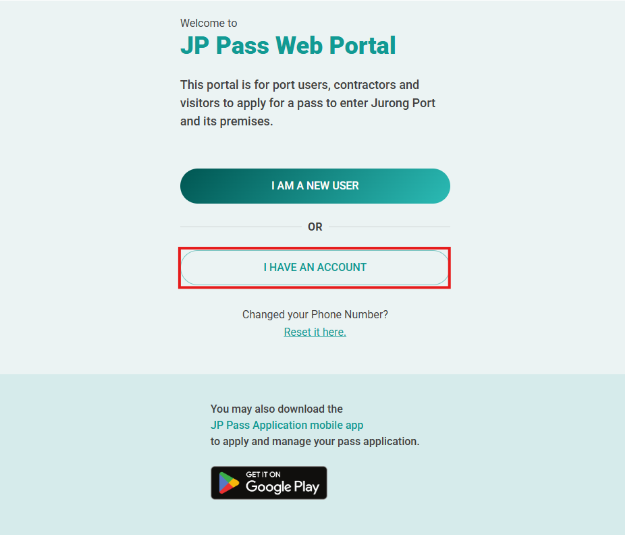
2. Login using your credentials, complete OTP verification and click “NEXT”
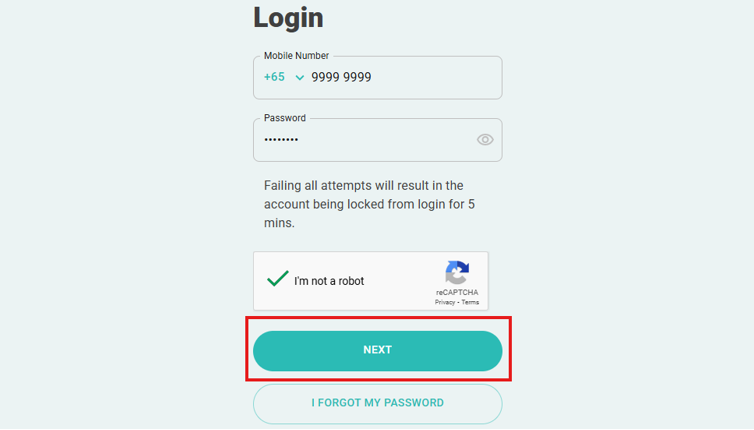
Note: If you have set up biometric login, you may also log in using the biometric method supported by your device, such as facial recognition or fingerprint.
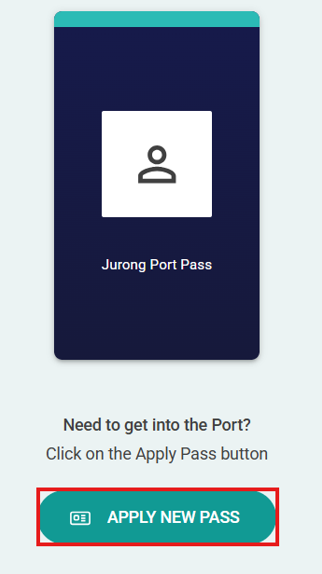
3. Click on “Apply New Pass” and complete the application form.
4. Once the application is successfully submitted:
- Watch the mandatory safety video – This is required for all applicants and must be completed before the application can proceed.
- Sponsor Company Endorsement – The application will be pending endorsement from the sponsor company. You will be notified once this process is complete.
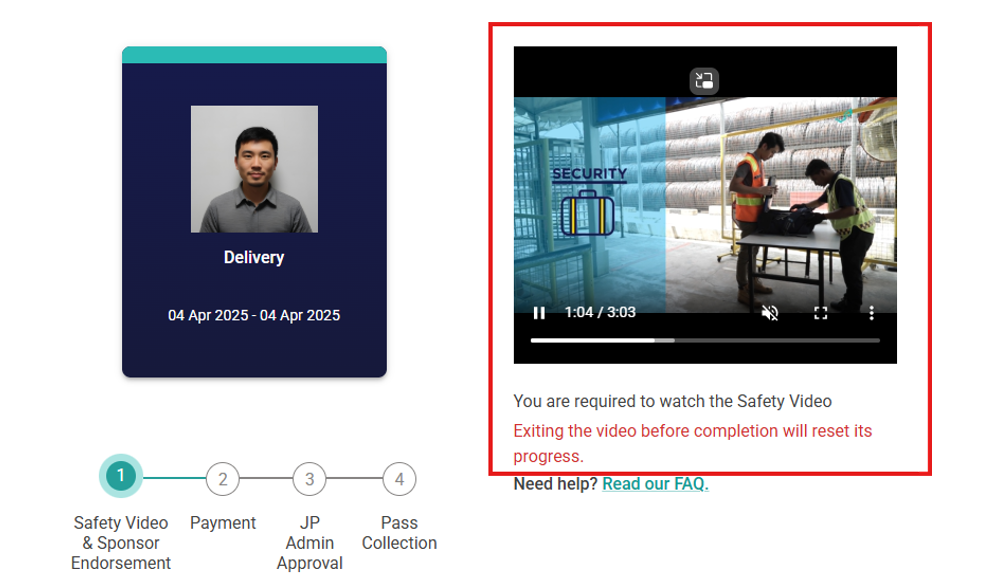
- Online Payment – Once your application is endorsed, you will be prompted to complete the online payment to finalise your submission
- Note: Please note that the application fees are non-refundable. We recommend ensuring that all information is correct before submitting and endorsing your application
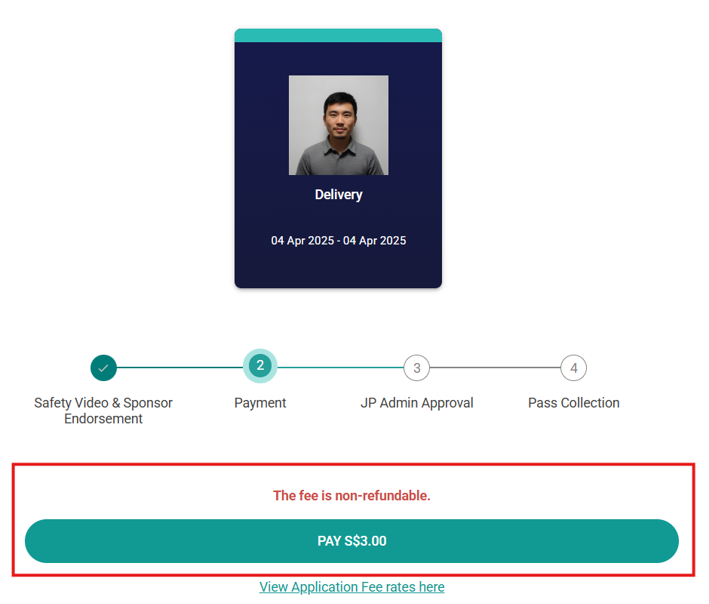
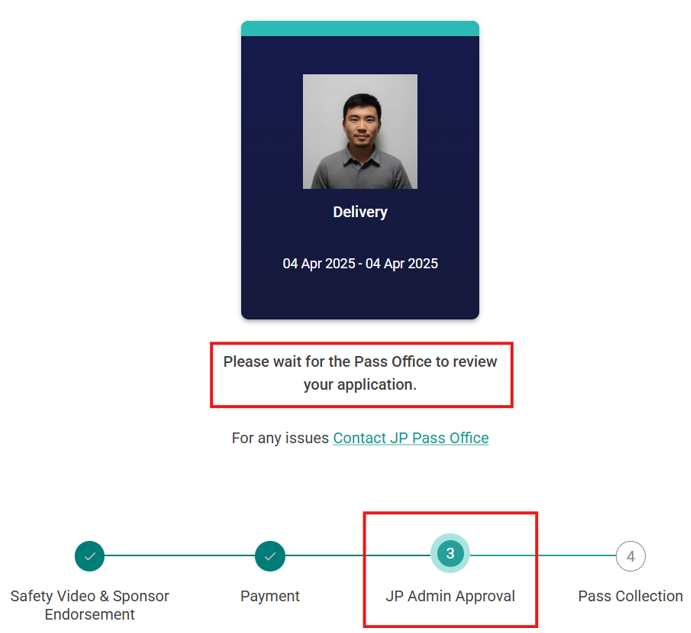
5. Once the payment is successful, the Pass Office will review the supporting documents for verification before approving the application
6. If the application is approved, you will receive a notification to book an appointment for biometric enrolment and ePass activation.
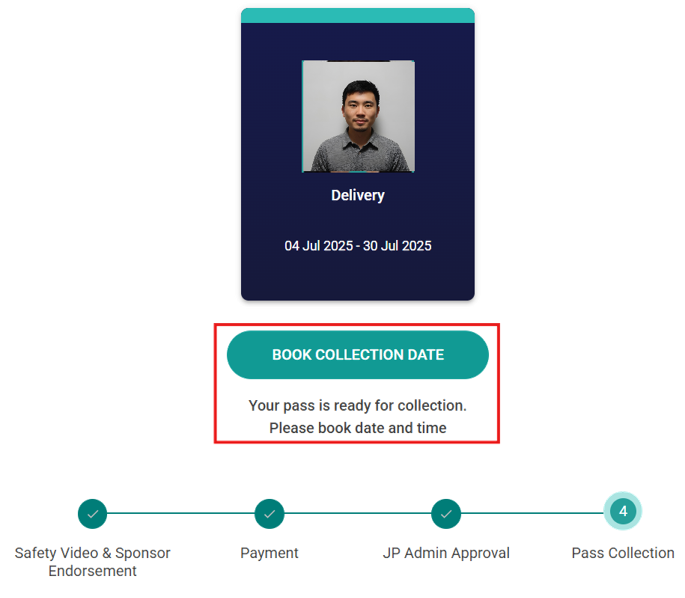
Note: Please arrive at the Pass Office at your selected timeslot to complete the biometric enrolment and ePass activation. All users must complete these steps in person and bring their physical government-issued photo ID for verification.
Can I apply for JP Pass in advance?
Yes. Applications for the JP Pass can be done up to sixty (60) days in advance. Please allow up to five (5) days for your JP Pass application to be reviewed and processed after a complete application has been submitted and payment has been made.
I have applied for my work pass but have not received the physical work pass yet. Can I apply for a JP Pass?
Yes. You can apply for a JP Pass using your In-Principle Approval (IPA). The maximum JP Pass duration you can apply for is based on the validity period approved in your IPA.
How do I renew my JP Pass?
The renewal process is the same as applying for a new JP Pass. Log in to the JP Pass mobile app or web portal and select “Renewal” instead of “Apply New Pass”. To avoid disruption to port access, please ensure that your renewal application is submitted and approved before your current JP Pass expires.
Do I need to come to the Pass Office for renewal?
No. Renewal applications and payments must be completed through the JP Pass mobile app or web portal. Please ensure that your renewal application has been approved and your ePass is valid before entering the port or terminal.