
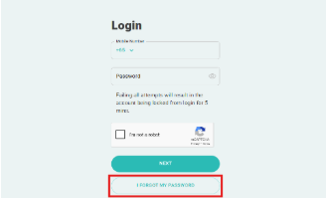
How do I reset my JP Pass account password?
To reset your password, click the “I Forgot My Password” link on the login page and follow the instructions.
I forgot my user ID. What should I do?
Your user ID is the mobile number you used during registration.
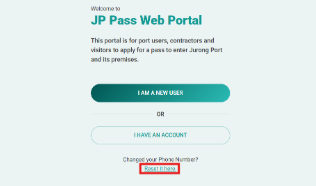
I changed my handphone number. Can I use my new number to log in or create a new account?
If you’ve changed your mobile number, there’s no need to create a new account.
Select “Reset It Here” under the “Changed Your Phone Number?” on the main page and follow the instructions to update your mobile number and regain access to your account.
Why should I set up a PIN?
Setting up a PIN allows you to access your JP Pass account using the PIN, even when your device is offline. This provides a more convenient login experience and reduces the need to rely on OTPs sent via WhatsApp or SMS.
How do I set up a 6-digit PIN?
1. Log in to the JP Pass mobile app.
2. Go to Settings.
3. Select “Setup PIN” and follow the instructions to set up your preferred 6-digit PIN.
4. Once the PIN has been successfully set up, you will be prompted to enable biometric authentication, subject to your mobile device’s capabilities.
How often do I need to set up my 6-digit PIN?
For security purposes, your 6-digit PIN must be set up again every 90 days. You will be prompted to set up a new PIN when your current PIN expires.
How long does my JP Pass app stay logged in?
For security purposes, you will be automatically logged out after 15 minutes of inactivity. You will need to log in again before using the app.
Will my JP Pass account become inactive if I don’t use it?
Yes, your JP Pass account will automatically become inactive after 90 days of inactivity. If your account becomes inactive, any active passes associated with the account may be cancelled, and all fees paid will be forfeited.
How do I cancel my active pass?
If you are no longer employed by or sponsored by the company, please log in to your JP Pass account and cancel your active pass.
Can I use my QR code after my JP Pass expires?
Your QR code is no longer valid once your JP Pass expires. Please ensure that your JP Pass is renewed and approved before your current pass expires.
How do I replace a lost or damaged physical JP Pass?
Physical JP Pass issuance has ceased, and replacement physical JP Passes will not be issued. Please use your ePass QR code for port access.