
What should I do if my country code is not available in the drop-down menu during JP Pass registration?
If your country code is not available in the drop-down menu, you must apply for the JP Pass in person at the counter. You will need to present a valid sponsor letter, which should be sent via email to passoffice@jp.com.sg. All other applicants can apply via the web or mobile app.
How do I register for a JP Pass account?
To create an account on the JP Pass Web Portal or mobile app, users must provide a unique handphone number and email address, as duplicates are not allowed. Follow these steps to complete your registration:
Registration Process:
1. Visit the JP Pass Web Portal at https://jppass.jp.com.sg/ or use the mobile app to start the registration process.
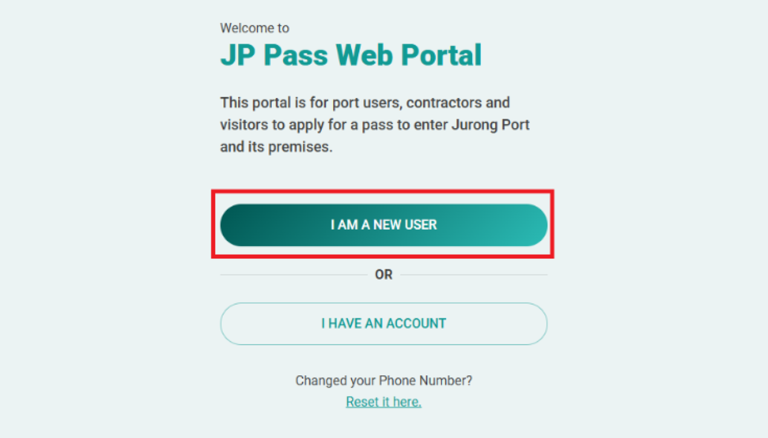
2. Click on the “I AM A NEW USER” button on the login page.
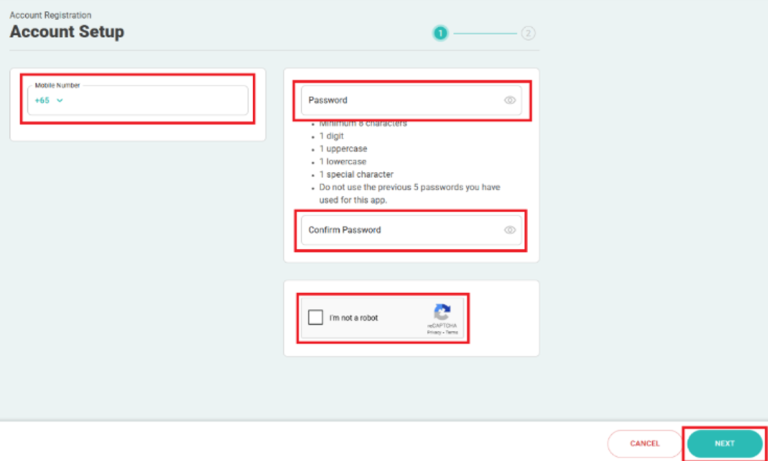
3. To set up an account, enter your mobile number, create a password, click on the reCAPTCHA checkbox, and click “NEXT” to complete the registration process.
 4. After clicking “NEXT,” a confirmation message will appear, indicating that your JP Pass account has been successfully created. You will then be directed to provide your basic information, either by retrieving it through Singpass or entering it manually.
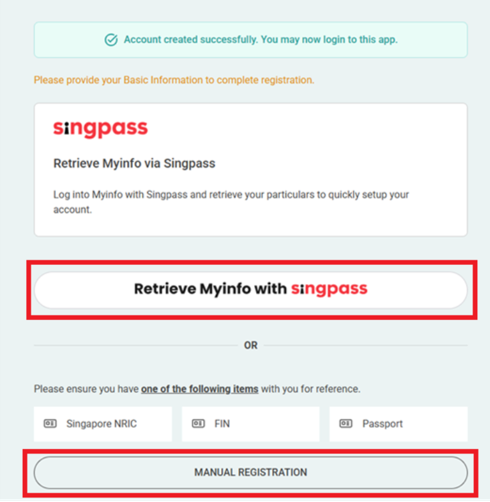
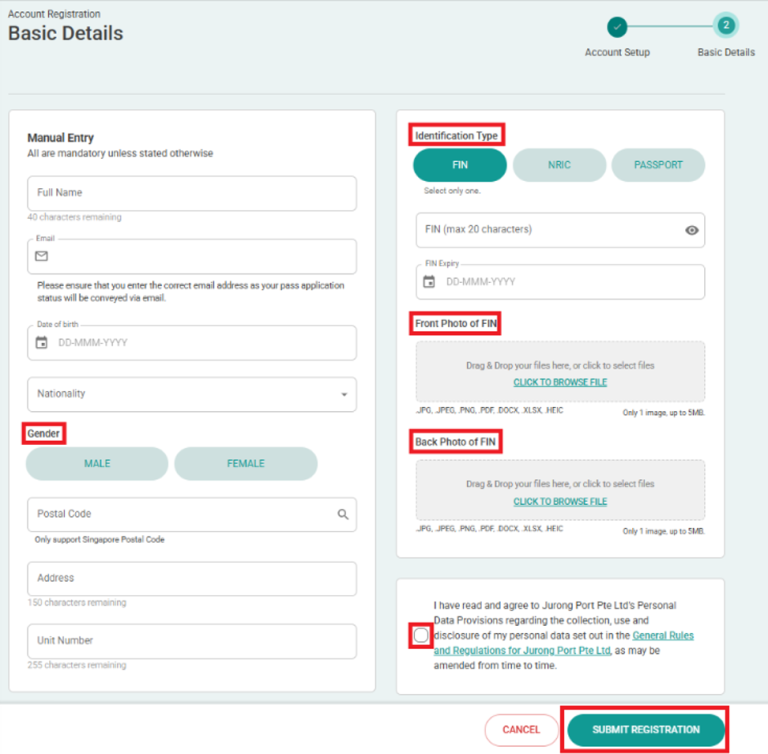
If you selected “MANUAL REGISTRATION,” you’ll be redirected to the Account Registration – Basic Details page. Enter the required information, click the link to review the General Rules and Regulations, check the box to confirm your agreement, and then click “Submit Registration.”
What is the process for JP Pass application?
The JP Pass is available to all users sponsored by a JP credit account holder.
Application Process:
1. Visit the JP Pass Web Portal at https://jppass.jp.com.sg/ or use the mobile app to apply pass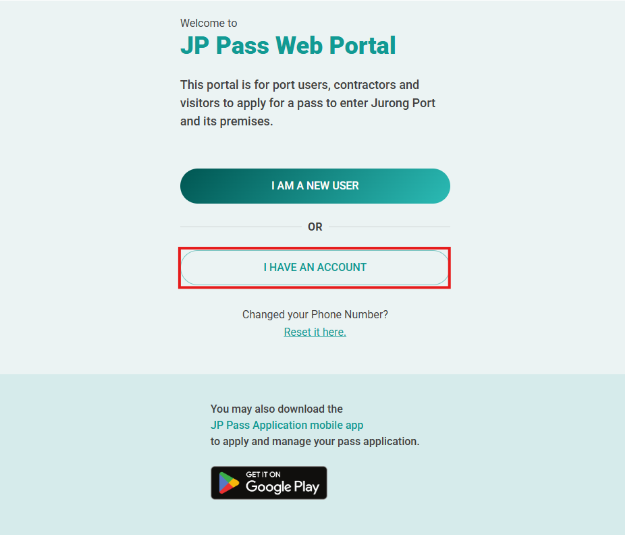
2. Login using your credentials, complete OTP verification and click “NEXT”
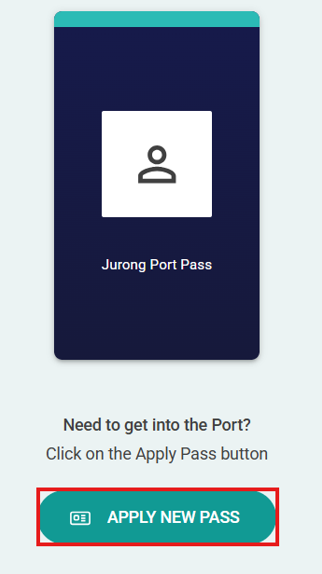
3. Click on “Apply New Pass” and complete the application form
4. When the application has been submitted successfully:
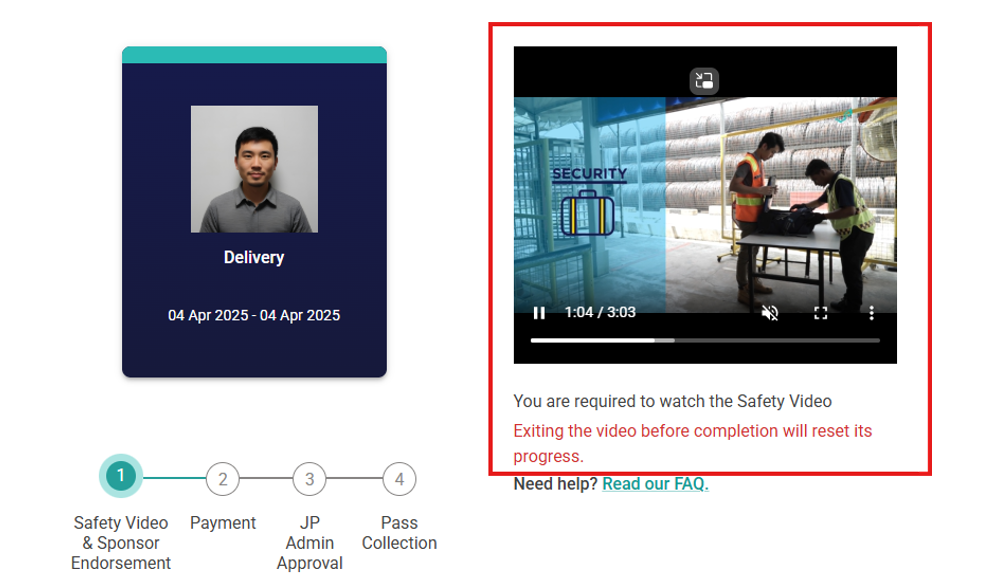
- Watch the mandatory safety video – This is a required step for all applicants and must be completed before your application can proceed
- Sponsor Company Endorsement – Your application is now pending endorsement from your sponsor company. You will be notified once this process is complete
- Online Payment – Once your application is endorsed, you will be prompted to complete the online payment to finalise your submission
- Note: Please note that the application fees are non-refundable. We recommend ensuring that all information is correct before submitting and endorsing your application
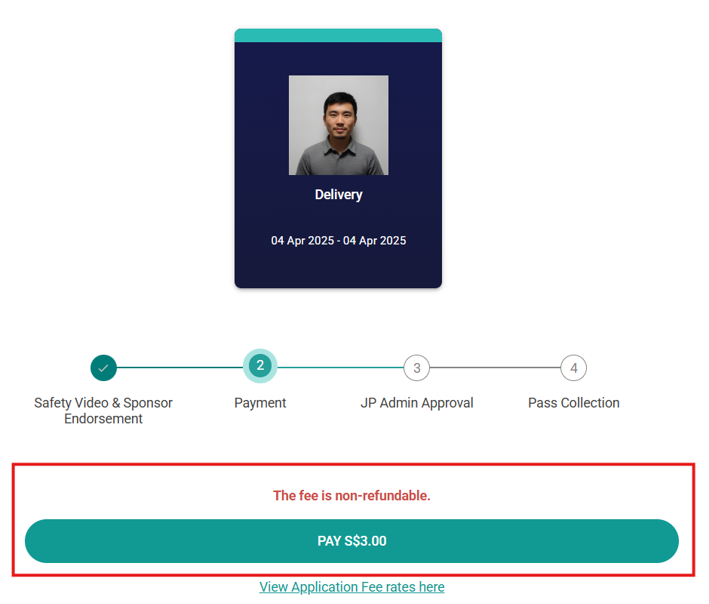
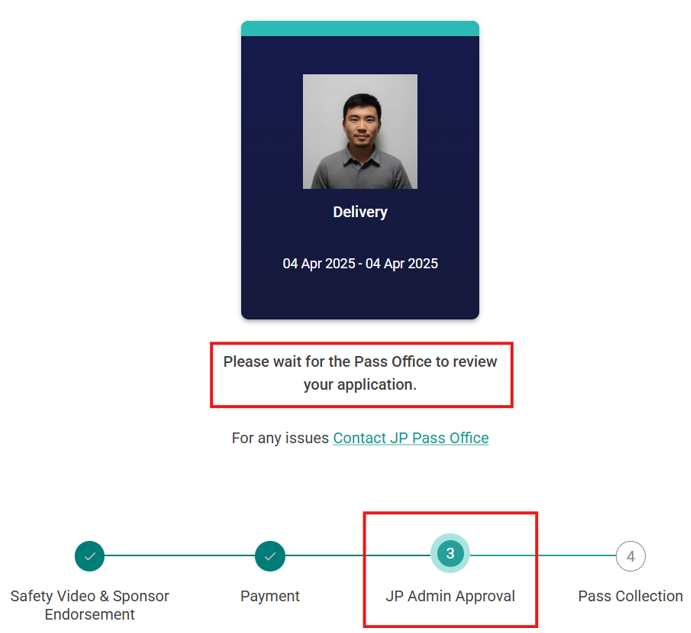
5. Once the payment is successful, the Pass Office will review the supporting documents for verification before approving the application
6. If your application is approved, you will receive a notification to book an appointment for pass collection
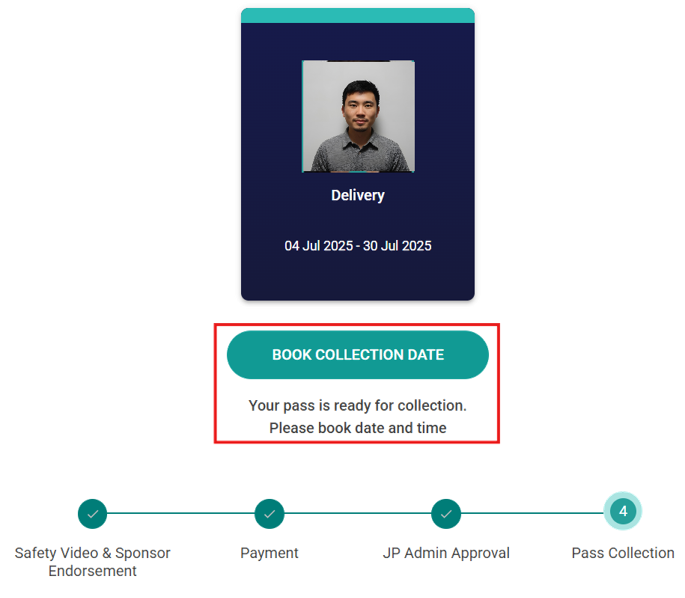
7. Please arrive at the Pass Office at your selected timeslot to collect your pass. You must come in person for pass collection to complete biometric enrolment. Additionally, you are required to bring your government-issued ID for verification
Can I apply for JP Pass in advance?
Applications for the JP Pass can be done up to 60 days in advance. The application form must be pre-filled and submitted online.
Can I request expedited or urgent processing for my application?
For urgent applications, you may request same-day processing and pass issuance at the Pass Office. For all other applications, processing may take up to five (5) days from the date you submit a fully completed application. To allow sufficient time for processing, please submit your application or renewal at least five (5) days before your scheduled visit.