
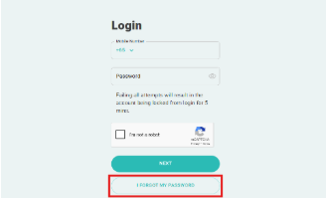
How do I reset my JP Pass account password?
To reset your password, click the “I Forgot My Password” link on the login page and follow the instructions.
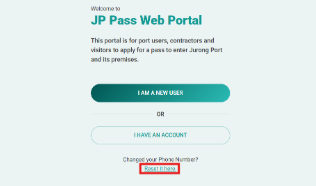
I changed my handphone number. Can I use my new number to log in or create a new account?
If you’ve changed your mobile number, there’s no need to create a new account. Simply update your mobile number by selecting “Reset It Here” under the “Changed Your Phone Number?” link on the main page. Follow the instructions to update your contact details and regain access to your account.
I forgot my user ID, what should I do?
Your user ID is the handphone number you used during registration. If you’ve changed your number, please refer to the question “I changed my handphone number. Can I use my new number to log in or create a new account?” for the necessary steps.
Will my JP Pass account get deactivated if I don’t use it?
Yes, your JP Pass account will automatically become inactive after 90 days of inactivity. To keep your account active, ensure that you log in or update your account within this period.